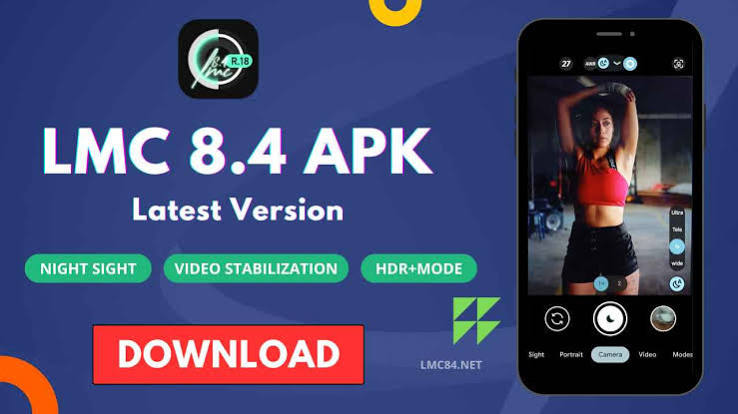

Photography has become one of the most frequently used features on modern smartphones. Although Android manufacturers provide their own camera applications, some users want more control over image processing, shooting modes, and camera settings. The LMC 84 APK File offers an alternative for users interested in trying the LMC 8.4 camera on supported Android smartphones.
LMC 8.4 is a third-party GCam port that provides a variety of photography tools and customization options. Depending on the smartphone, users may be able to take advantage of advanced modes for portraits, low-light scenes, landscapes, and night photography.
LMC 8.4 Explained
LMC 8.4 is an unofficial camera application based on Google Camera technology. It is designed to work with compatible Android devices and provide additional image-processing features.
Unlike many stock camera applications, LMC 8.4 gives users more opportunities to adjust and customize the camera. It may support different shooting modes, advanced processing options, and XML configuration files.
However, there is no universal setup for every Android phone. Camera hardware and software vary significantly, which means users may need a version or configuration suited to their specific device.
What Makes LMC 8.4 Different?
The biggest difference is the amount of customization available. A stock camera generally aims to make photography simple by automatically selecting many settings.
LMC 8.4 is more suitable for users who enjoy testing different settings and comparing image results. With the right configuration, users can adjust the look and processing of their photographs according to their preferences.
The application can also be useful for users who want to explore features that may not be available in their smartphone’s original camera app.
Important Features of LMC 8.4
HDR+ for Balanced Exposure
HDR+ is designed to improve image detail in scenes containing both bright and dark areas. It can process multiple frames to create a more balanced photograph.
This mode can be particularly useful for landscapes, outdoor scenes, and photographs taken under strong or uneven lighting.
Night Sight for Low-Light Shots
Night Sight is intended to improve image quality in darker environments. The camera can combine multiple frames and use computational processing to produce a brighter image.
The final result depends on the smartphone’s sensor and configuration, but compatible devices can produce more visible details in low-light conditions.
Portrait Photography
Portrait Mode is designed to keep the primary subject clear while applying a soft blur to the background.
It can be useful for photographing people, pets, and close-up subjects. Good lighting and suitable positioning can improve subject separation.
Astrophotography Mode
Astrophotography can help compatible devices capture the night sky and stars. Since this feature may use long exposures, the smartphone must remain stable.
A tripod is recommended for users who want to experiment with this mode, although a stable surface can also be useful.
RAW Image Capture
RAW support can be valuable for photography enthusiasts who edit images after capture. RAW files can retain additional information that provides more flexibility during editing.
Users can adjust exposure, shadows, highlights, and colors more extensively when their device supports RAW capture.
LMC 84 APK File Compatibility
The LMC 84 APK File does not necessarily work the same way on every Android smartphone. Device compatibility is influenced by several technical factors.
Important considerations include:
- Android version
- Processor and chipset
- Camera2 API support
- Camera sensor
- Device firmware
- Available camera lenses
- RAM and processing resources
Some phones may support the main camera but have limited access to additional lenses. Certain features may also require specific configurations.
If the application crashes, does not detect the camera, or produces unexpected images, checking compatibility should be the first step.
Understanding XML Config Files
XML files can simplify camera customization by allowing users to apply multiple settings simultaneously.
A configuration can change parameters such as exposure, color balance, sharpness, contrast, and noise reduction. Some XML files are created specifically for particular smartphone models.
Using a configuration intended for the same device can often provide a better starting point than using random settings.
Users should save a backup of any configuration that works well before testing another one.
Installation Process
The APK installation process is relatively straightforward on Android.
Download a compatible version from a source you trust and locate the file through your smartphone’s file manager.
Tap the APK to begin the installation. Depending on your Android version, the device may ask for permission to install an application from an external source.
Before allowing the installation, verify the source and make sure you trust the file. Once installed, open LMC 8.4 and provide the camera permissions required by the application.
The exact steps may vary slightly between different Android manufacturers.
Tips for Using LMC 8.4
Start by testing the camera with its basic settings before making advanced changes. This helps you understand how the application performs on your specific phone.
For outdoor photography, HDR+ can help balance different exposure levels. Night Sight is more appropriate for dark environments, while Portrait Mode can be useful for people and close subjects.
If you are testing astrophotography, keep the phone stable throughout the capture. A small movement can affect a long-exposure photograph.
You can also compare different XML configurations to find the color and processing style you prefer.
LMC 8.4 and the Stock Camera
The stock camera is normally optimized by the smartphone manufacturer and is designed to work with the device’s native camera hardware.
LMC 8.4 provides a more customizable experience. It may offer additional camera modes and settings for users who want to experiment.
The stock camera is usually the simpler option for quick snapshots, while LMC 8.4 may be more appealing to photography enthusiasts.
Neither option is automatically better for every phone. The final results depend on the hardware, software, lighting, and configuration.
Safe APK Installation Practices
Third-party APK files should always be downloaded carefully. Users should avoid suspicious sources and files that request permissions unrelated to camera functionality.
Before installing LMC 8.4, check that the version is compatible with your Android phone. It is also recommended to keep the device’s security features enabled.
Being careful about APK sources can help reduce potential security risks associated with installing applications outside official app stores.
Final Thoughts
LMC 8.4 is a customizable camera option for Android users who want to experiment with mobile photography. Features such as HDR+, Night Sight, Portrait Mode, astrophotography, RAW capture, and XML configurations can provide additional flexibility.
The most important factor is compatibility. Since Android smartphones use different hardware and software, users should select a version and configuration appropriate for their particular device.
With a suitable setup and some experimentation, LMC 8.4 can provide an alternative camera experience for Android photography enthusiasts.